 AI & automation for small and medium-sized businesses
Stop letting manual work slow your business down.
We build custom AI systems and websites that help you respond to customers, simplify intake, track payments, and stay on top of daily operations.
AI voice agents that answer incoming calls, follow up with form inquiries, and help customers book appointments.
Custom websites connected to intake, paperwork, payments, and booking, so customers can take the next step with less manual coordination from your team.
A connected view of your inbox, payments, calls, and deadlines, with a daily brief showing what happened and what needs your attention.
 Google
 Calendly
 Stripe
 Shopify
 Retell
 Twilio
 Make
Make n8n
n8n Airtable
 Zeffy
Zeffy Givebutter
 Mailchimp
 Slack
Slack Vercel
 DocuSeal
 Microsoft
Keep up with customer calls, even when you’re on the job.
We build AI voice systems for home service businesses and property managers to answer incoming calls, follow up with form inquiries, and help book appointments while your team is busy.
On a job, in a meeting, or after hours, the phone still rings.
Answers calls when you can’t
Nights, weekends, and the calls that come in while you’re on a job. The agent answers using the information you provide.
- ✓Answers incoming calls when your team is unavailable
- ✓Handles common questions, price ranges, and service area, using answers you set
- ✓Books into your calendar, or takes a message with the caller’s details
- ✓Flags urgent calls to a number you choose
Follows up with new leads
When someone submits your website form, the agent calls them back, asks the qualifying questions you set, and helps them book.
- ✓Calls back new form submissions promptly
- ✓Asks the qualifying questions you set
- ✓Offers appointment times, or sends a scheduling link by text
- ✓Logs each call with a transcript and outcome in your CRM
Today
- ✕After 5pm and on the jobCalls go to voicemail while you’re on a job.
- ✕Form leadsWait until someone is free to call back.
- ✕VisibilityMissed calls aren’t tracked.
With the agents
- ✓After 5pm and on the jobCalls answered when you’re unavailable, with urgent ones flagged to your phone.
- ✓Form leadsNew leads get a prompt callback and help booking.
- ✓VisibilityEach call logged with a transcript and an outcome.
Move customers from sign-up to next steps with less manual work.
We build custom websites connected to intake forms, signing documents, payments, and booking. Your customers get a clear next step, and your team spends less time moving information by hand.
of nonprofit leaders surveyed said their own burnout was ‘very much’ a concern.
of US online shoppers have abandoned an order because checkout was too long or complicated.
Source: Baymard Institute
Connect payment records, confirmations, and follow-up steps.
The same details typed into forms, spreadsheets, and emails.
A website built around your customers’ next steps.
Clear pages that explain what you offer and guide visitors toward an inquiry, registration, purchase, or booking.
Connect sign-up to what comes next.
Link forms, records, signing documents, welcome messages, and booking into a clear intake process.
Connect payments to your website.
Support payments for memberships, events, and donations, with confirmation and thank-you messages connected to the process. Payment processors charge their own fees.
Today
- ✕IntakeExplained by hand, one person at a time.
- ✕PaperworkChased over email; bookings happen before documents are signed.
- ✕PaymentsCollected through separate tools; confirmations sent by hand.
With the system
- ✓IntakeOne form starts the process: records, documents, and the welcome message are connected.
- ✓PaperworkSigning can be required before booking, if your process calls for it.
- ✓PaymentsPayments taken on your site, with confirmation and thank-you messages connected.
Know what needs your attention before the day gets busy.
We connect information from your existing tools to help you track your inbox, payments, calls, deadlines and more. A daily brief brings together what happened, what’s pending, and what needs your attention.
of US small businesses surveyed reported invoices overdue by at least 30 days.
Source: Intuit QuickBooks
Inbox, bank, calendar, and CRM each hold part of the picture.
Renewals, filings, and reports depend on remembering.
What a Tuesday morning looks like
Sample data for illustration, not customer results. Your brief would show your own calls, invoices, and deadlines.
What it takes off your plate
Across your inbox, payments, operations, and admin work.
- Inbox sorted by what needs attention. Messages grouped so the ones that need you come first.
- Replies drafted for your review. Written in your tone, waiting for you to check and send.
- Client history attached. Past messages and notes pulled alongside the thread.
- Payments in one view. Collected, outstanding, and overdue, from your payment and invoicing tools.
- Late-payment reminders drafted on a schedule. Based on invoice age, sent when you approve.
- Estimates needing follow-up. Quotes that have gone quiet, flagged for you.
- Deadlines flagged ahead of time. Grant reports, renewals, filings, and licenses.
- Meeting notes and prep briefs. Action items after a call, a one-page summary before it.
- Requests logged and ranked. Service and maintenance requests recorded with an urgency level.
- The daily brief. What happened, what’s pending, and what needs your attention, in one page.
- Reports drafted from your business data. Weekly numbers, statements, or a board packet, ready for your review.
- See which tasks completed and which need attention. A record of what ran, what was retried, and what is waiting on you.
Today
- ✕Where things standSeveral logins to find out.
- ✕Invoicing and remindersSent when someone remembers.
- ✕The reportAn evening to assemble from several tools.
With the operating system
- ✓Where things standOne brief each morning: what happened, what’s pending, what needs attention.
- ✓Invoicing and remindersDrafted on a schedule you set, ready for your review.
- ✓The reportDrafted from your business data for you to review and send.
See how organizations use the systems we’ve built.
Examples from client projects, including websites and automated intake workflows. Client names are withheld at their request.
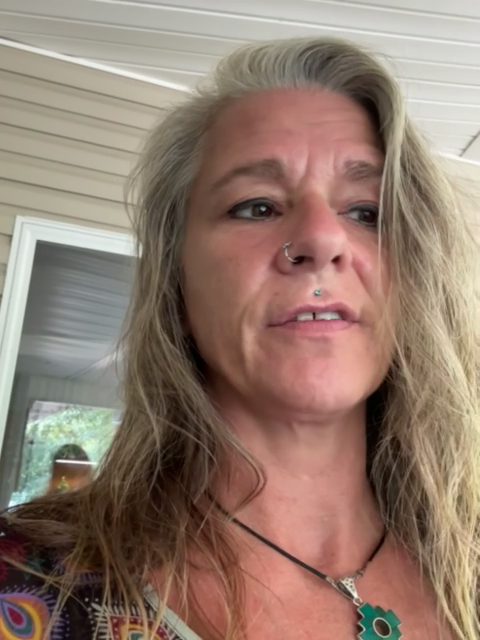
A nonprofit church in Arkansas
The problem: the founder handled every intake manually, often at night. What we built: a website with one inquiry form that creates the record, sends a ten-document signing packet, and sends the welcome message. The change: intake runs without the founder stepping in. A 43-second video account from the founder is on file.
A newly formed retreat nonprofit
The problem: a large site with no way to take a payment and intake explained by hand. What we built: a smaller Shopify site with a paid membership, retreats the founder posts herself, payments, and an intake process that requires signed documents before a call is booked. The change: the founder runs memberships and retreats without a developer. This client has since referred another organization to us.
A national women-in-technology nonprofit
The problem: member and event registrations across eleven chapters lived in scattered forms. What we built: one automated intake for members and events, with payments connected. Planned next, not yet built: a chapter-finance workflow.
Built for businesses where the owner is the system.
Home Services
Starts with Voice Agents →Nonprofits
Starts with Website + Automation →Property Management
Starts with Voice Agents →The AI Operating System applies to any industry.
Start with a conversation.
We’ll learn about your business, show you the relevant solutions, and discuss what could help.
Introduction + demo
Tell us what you’d like to improve. We’ll show you the relevant solutions and answer your questions. If it looks like a fit, we schedule an AI audit.
AI audit
A walk through how your business runs: where the calls go, where the time goes, and what your tools can connect to. You leave with a short list of what’s worth improving.
Proposal, then the build
A written proposal with the price and expected timeline. We build, you test it with us, and it goes live with a follow-up check scheduled.
What would you like to know?
Ask about our solutions or tell us what’s slowing you down. You don’t need a project plan to start the conversation.
Prefer to talk it through? Book a demo to discuss your business and see the solutions that interest you.